Free for Android

Your game, your way.

Add your players, pick a formation and set the lineup in seconds. Then share it as an image with your team.
Version 1.4.0 · Android 7.0 and up · English

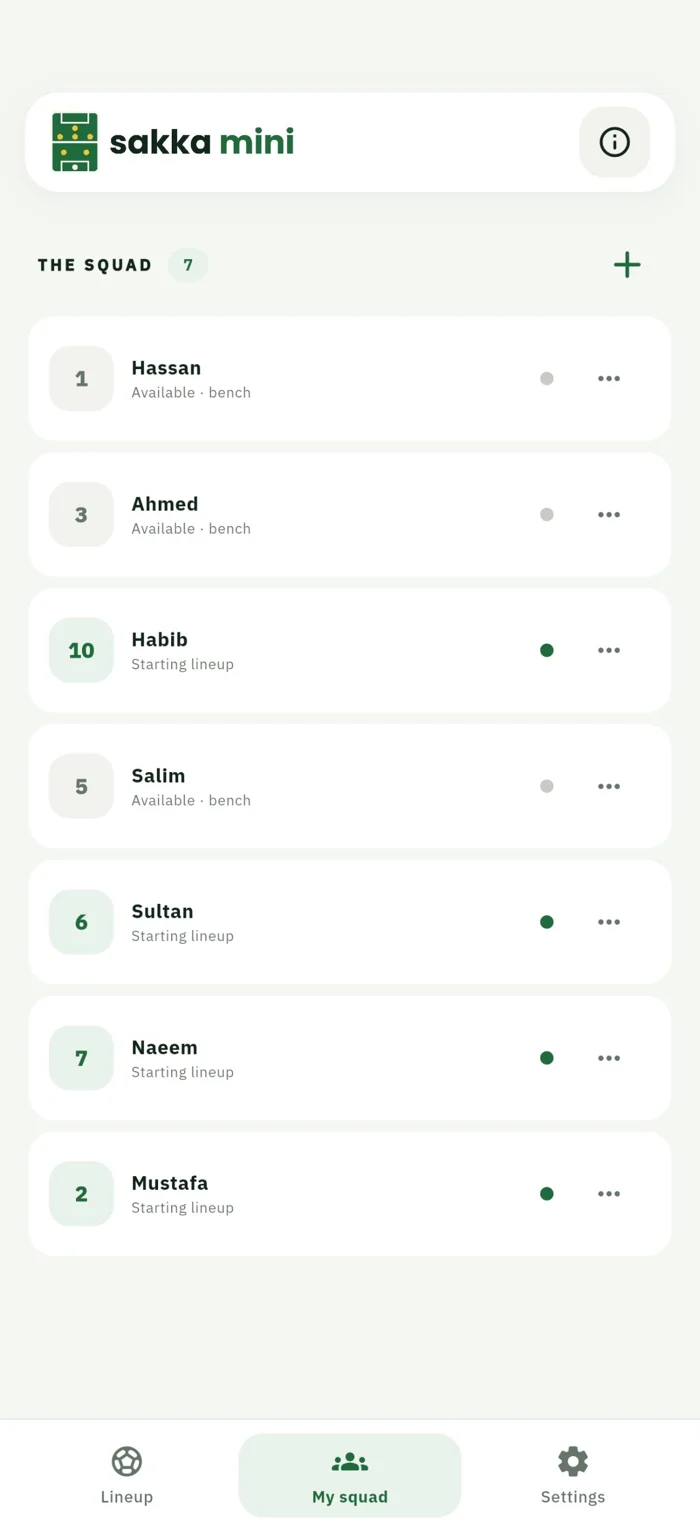
My squad screen listing players
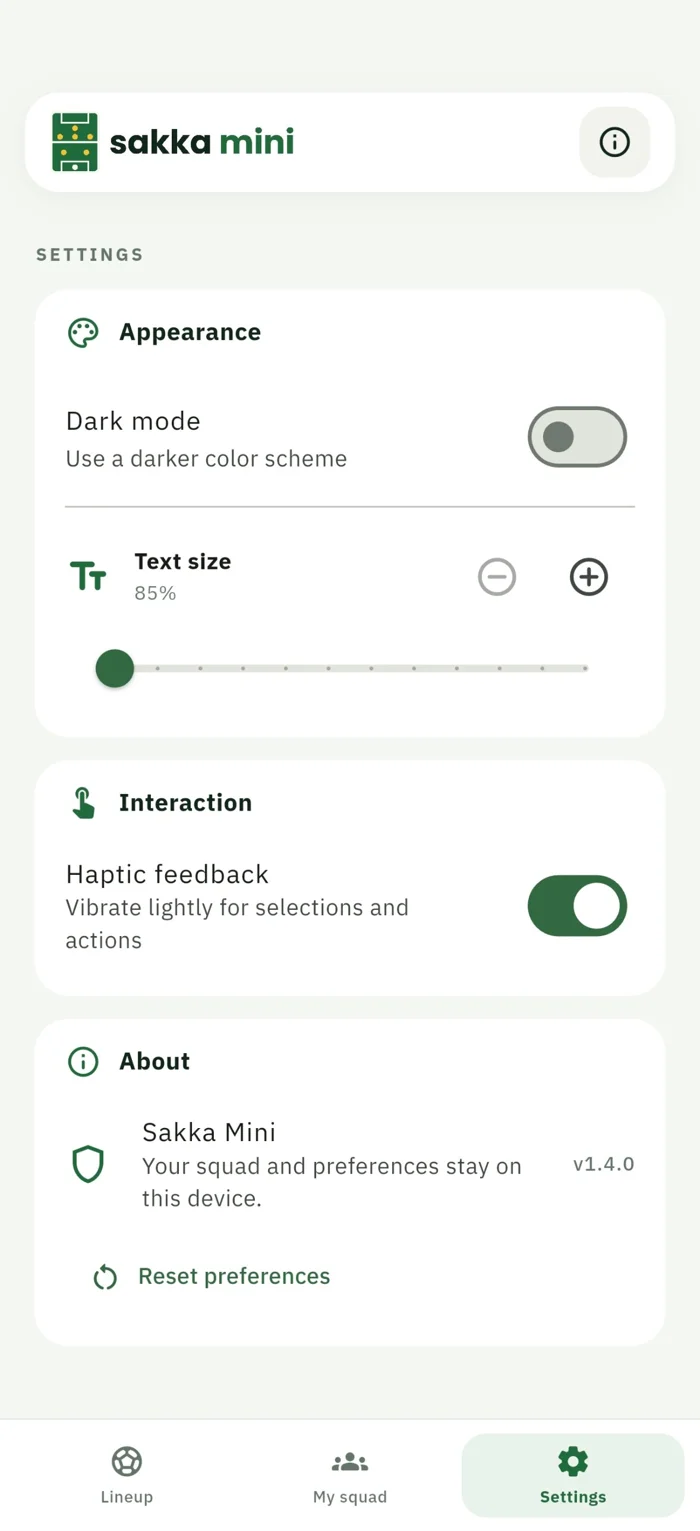
Settings screen
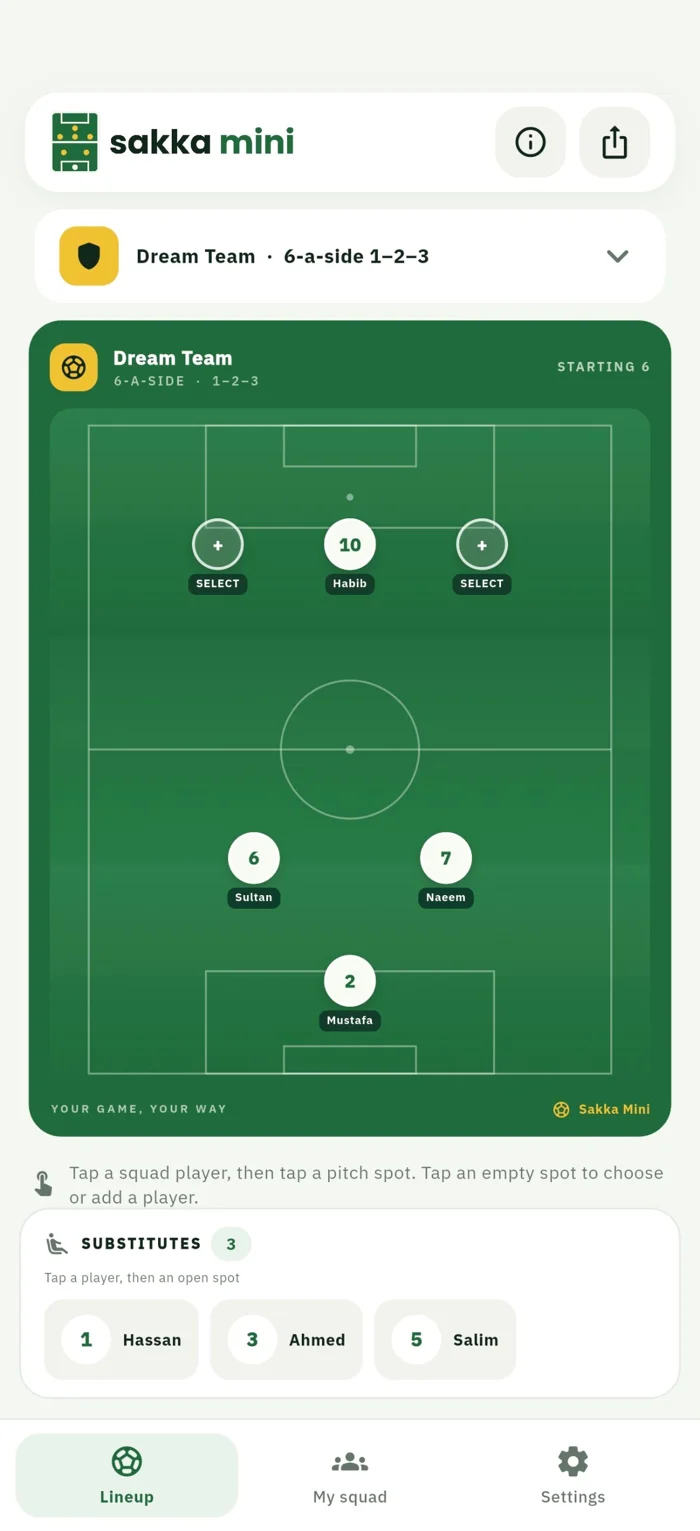
Lineup screen with a 6-a-side 1-2-3 formation

Everything a lineup needs. Nothing it doesn’t.

Sakka Mini does one job and does it quickly, even with no signal at the pitch.

Formations for every game

Choose a formation for your match size and the pitch updates instantly.

6-a-side7-a-side8-a-side11-a-side

Your squad, your numbers

Add and edit players with their shirt numbers. Mark who starts and who waits on the bench.

Share as an image

Send the lineup to WhatsApp or any app from the header, on every tab.

Works offline

No account and no sign-in. Your squad and settings stay on your phone.

Light and dark

Switch themes, resize the text and turn haptic feedback on or off.

Three tabs. That’s the whole app.

Lineup tab with pitch and substitutes

Lineup

Tap a player, then tap a spot on the pitch. Subs wait below.

My squad tab

My squad

Every player with number, status and quick actions.

Settings tab

Settings

Dark mode, text size, haptics and a one-tap reset.

App details

App name
Sakka Mini
Developer
Habib AlMawali
Version
1.4.0 (code 5)
Requires
Android 7.0 (API 24)+
Target SDK
Android 16 (API 36)
Language
English
Package
com.x5njr.sakkamini

Changelog

  1. 1.4.0 LatestSettings update
    • Replaced the bottom-bar Share action with a dedicated Settings screen.
    • Kept lineup image sharing available from the header across all tabs.
    • Added light/dark mode, adjustable text size, haptic feedback, and resettable preferences.
    • Added IBM Plex Sans Arabic typeface and bundled font weights.
  2. 1.3.0Bright redesign
    • Switched the full app interface to a bright, light-only theme.
    • Added smooth tab transitions, expandable settings, and animated formation selection.
    • Improved lineup and roster presentation.
    • Persisted the selected tab and settings-panel state across launches.
  3. 1.2.0Clean start
    • Fresh installs now start with an empty squad and lineup.
    • Moved the goalkeeper closer to the goal.
    • Set the app display name to Sakka Mini.
  4. 1.1.0Branding and sharing
    • Added a branded Sakka Mini splash screen and custom Android launcher icon.
    • Added developer credit: Habib AlMawali.
    • Improved pitch orientation, player positioning, and bench interactions.
    • Added local, offline-first team and lineup editing.
    • Added shareable lineup images.
  5. 1.0.0First release
    • Initial Sakka Mini soccer team and lineup builder.
    • Add and edit players, select formations, and arrange lineups on a soccer pitch.

Kick-off is in an hour. Set the lineup now.

Free on Google Play. No account needed.